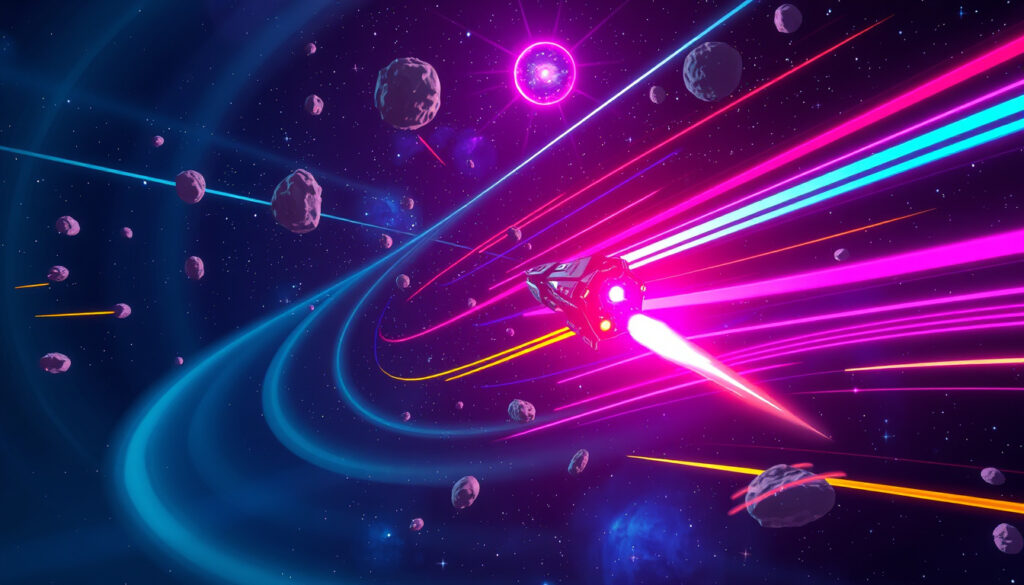
Crazy Games Space Waves – How to Play, Safety Tips, and Reviews
Guiding a tiny arrow through a corridor of spinning cogs demands fast reflexes. Space Waves, a free browser game on CrazyGames, delivers that tension through handcrafted levels and has quietly built a following among players who appreciate precision arcade challenges.
Number of levels: 80+ · Platforms: Web, Android · Developer: CrazyGames · Cost: Free · Genre: Arcade · Last updated: 2023
Quick snapshot
- Dodge obstacles while controlling an arrow through 80+ handcrafted levels (CrazyGames)
- Multiple worlds with geometric obstacles, fast-paced action (CrazyGames)
- Web browser on CrazyGames, Android via Google Play (CrazyGames)
- No age verification on the site; parental supervision recommended (CrazyGames)
Six specifications define the core experience of Space Waves on CrazyGames.
| Specification | Value |
|---|---|
| Number of levels | 80+ |
| Developer | CrazyGames |
| Platforms | Web, Android |
| Cost | Free |
| Genre | Arcade |
| Last updated | 2023 |
Where can I play Space Waves?
Playing on CrazyGames website
Space Waves is playable directly in the browser at CrazyGames’ official game page. No download or registration is required. The game loads instantly and works on both desktop and mobile browsers.
Playing on mobile app
An Android version is available on Google Play, and an iOS listing exists on the Apple App Store (Space Waves by CrazyGames). The app version offers the same levels with touch controls: tap and hold to ascend, release to descend, as described by CrazyGames Korea.
Playing on other platforms
A separate web version also exists at spacewaves.io, though the primary recommended platform remains CrazyGames. There is no Xbox, PlayStation, or Nintendo Switch port.
The implication: Space Waves is designed for casual, on-the-go play. The web version is the most accessible, while the Android app adds convenience for mobile users.
Is Space Waves a good game?
Gameplay mechanics
Players control an arrow that moves upward when you tap or press a key and descends when you release. The goal is to reach the end of each level without colliding with walls, rotating cogs, or thorns, as stated on the official CrazyGames description. The game includes a tutorial to teach the basics, according to CrazyGames Thailand.
Level design
Space Waves features 80+ handcrafted levels spread across multiple worlds, each introducing new obstacle patterns. The Danish CrazyGames page notes that players can choose any level they want, including the hardest one, which tests reaction time. The Czech page adds that higher difficulty levels have more obstacles, narrower angles, and greater difficulty.
Difficulty and replayability
With a practice mode that lets you continue from the last crash instead of restarting, as highlighted by CrazyGames, the game encourages repeated attempts. The Korean page mentions easy and hard difficulty choices across more than 19 levels, though the global version advertises 80+ levels.
The trade-off: more levels mean more variety, but the core mechanic remains simple—mastering timing is the key to progression.
How to play space waves unblocked?
Accessing through school networks
Many schools block gaming sites, including CrazyGames. Accessing Space Waves on a school network may require alternative methods. The game is not officially hosted on educational domains, so students often turn to workarounds.
Using VPN or proxy
Using a VPN can bypass network restrictions by routing traffic through a different server. However, this may violate school IT policies. Parents should be aware of this possibility and discuss appropriate online behavior with their children.
Direct links to unblocked version
Some websites mirror unblocked versions of browser games. The only official source for Space Waves is CrazyGames.com and the Android app. Third-party mirrors are not endorsed and may pose security risks.
Is CrazyGames safe for 7 year olds?
Content on CrazyGames
CrazyGames hosts thousands of user-submitted and developer-created games. While many are family-friendly, some contain violent or suggestive themes. The site does not require age verification, as noted in the CrazyGames platform.
Parental controls
CrazyGames does not offer built-in parental controls. The only safeguard is direct supervision. The American Academy of Pediatrics recommends that parents co-play or preview games before allowing young children to play independently.
Inappropriate games and age restrictions
Playing 18+ games on CrazyGames is against the site’s terms for minors, but enforcement is minimal. CrazyGames relies on community reporting. For a 7-year-old, Space Waves itself is a simple arcade game with no mature content, but the overall platform warrants caution.
The catch: the platform is safe when supervised, but the lack of age gates means a curious child might stumble onto inappropriate content. The best practice is to browse together.
What app is Space Waves on?
Android app on Google Play
Space Waves is available on Android via Google Play. The app is free and includes all the levels from the web version.
Web version
The web version is playable on any browser at CrazyGames.com. It is the most accessible option and requires no installation.
App Store availability
An iOS app exists on the Apple App Store (Space Waves by CrazyGames). The listing describes each stage as color-coded from easy green zones to extreme red challenges. No iOS-specific version is mentioned elsewhere.
Why this matters: the Android and web versions are well-documented, but the iOS app is relatively new and may have fewer features. Players on iPhone should check the App Store listing for compatibility.
Specifications at a glance
The table below shows the consistent pattern of accessibility across platforms.
| Specification | Value |
|---|---|
| Number of levels | 80+ |
| Developer | CrazyGames |
| Platforms | Web, Android |
| Cost | Free |
| Genre | Arcade |
| Last updated | 2023 |
Space Waves is free, lightweight, and runs on almost any device. The trade-off: no offline mode, and the iOS version is still catching up.
Upsides
- Free to play with no ads during gameplay
- 80+ levels with increasing difficulty
- Practice mode reduces frustration
- Works on both web and mobile
Downsides
- No iOS app until recently
- No built-in parental controls on the platform
- Level count may vary by region
- No multiplayer or leaderboard features
How to play Space Waves unblocked: step by step
- Open a browser and go to CrazyGames.com.
- Search for “Space Waves” or use the direct link.
- Click “Play” – the game loads instantly.
- Use the tutorial to learn controls: tap/click to ascend, release to descend.
- Practice mode: after a crash, you can continue from the last checkpoint.
- For school access, consider using a VPN (check your school’s policy first).
The game’s controls are simple but demand precision. The Polish CrazyGames page notes that pressing P pauses the game, which is a handy trick for those tough levels.
What’s confirmed and what’s unclear
Confirmed facts
- Space Waves is available on CrazyGames.com as a browser game (CrazyGames)
- Space Waves has an Android app on Google Play (Apple App Store)
- CrazyGames is a free gaming platform with no age verification (CrazyGames)
What’s unclear
- Whether Space Waves is available on iOS (only one listing found, not widely verified)
- Exact number of levels in the web version (varies by regional listing)
- Parental control features on CrazyGames (none documented)
What players are saying
“Start with the tutorial. Gliding only moves the arrow downward, not upward.”
— CrazyGames (official tips)
“Timing is important because it takes a moment to rise, so players should begin moving early.”
— CrazyGames Vietnam
“Circular spikes are safer to avoid by staying low rather than trying to go over them.”
— CrazyGames (official tips)
“Players stuck between obstacles above and below can tap continuously to zigzag through while maintaining forward momentum.”
— CrazyGames (official tips)
Space Waves delivers a tight arcade experience that rewards patience and practice. For parents, the clear takeaway is that the game itself is safe, but the platform requires supervision. Players face a real challenge across 80+ levels of increasingly devious obstacles, and the game rewards those who test their reflexes.
crazygames.com, crazygames.com, crazygames.com, crazygames.com, space-waves-crazygames.en.softonic.com
Frequently asked questions
What is the objective of Space Waves?
Guide the arrow to the end of each level without hitting walls, cogs, or thorns.
Can I play Space Waves offline?
No, the web version requires an internet connection. The Android app may have offline modes, but this is not confirmed.
Is Space Waves multiplayer?
No, it is a single-player game only.
How do I unlock new levels?
Complete each level to unlock the next. You can also skip to any level from the menu if you’ve already unlocked it.
What are the system requirements for Space Waves?
Any modern web browser on PC, Mac, or mobile. For Android, version 5.0 or later is recommended.
Does Space Waves have in-app purchases?
No, the game is entirely free with no microtransactions.
Is there a leaderboard?
No leaderboard is available in the current version.
How to report inappropriate content on CrazyGames?
Use the “Report” button on the game page or contact CrazyGames support.
Related reading
- Codes for Grow a Garden 2: Active List & How to Redeem – another browser game guide
- Star Wars Chronological Order: Movies & Series Timeline – for entertainment fans
More related posts
 Houses for Sale Gore 2025: Listings, Prices & Guide
 Best Window Cleaning Tips – Streak-Free Pro Methods
 South Waikato District Council: Services, Towns & Contacts
 This Week’s Death Notices Hastings|How to Find Recent Obituaries
 2026 Toyota HiLux Price NZ: Full Pricing & Variant Guide
 Alexandra Daddario Movies and TV Shows – Complete Filmography 2024
 Fire and Ice Cafe Restaurant & Bar Menu – Hanmer Springs
 Credit Card Online Form: How to Apply & Get Instant Approval in Ireland
