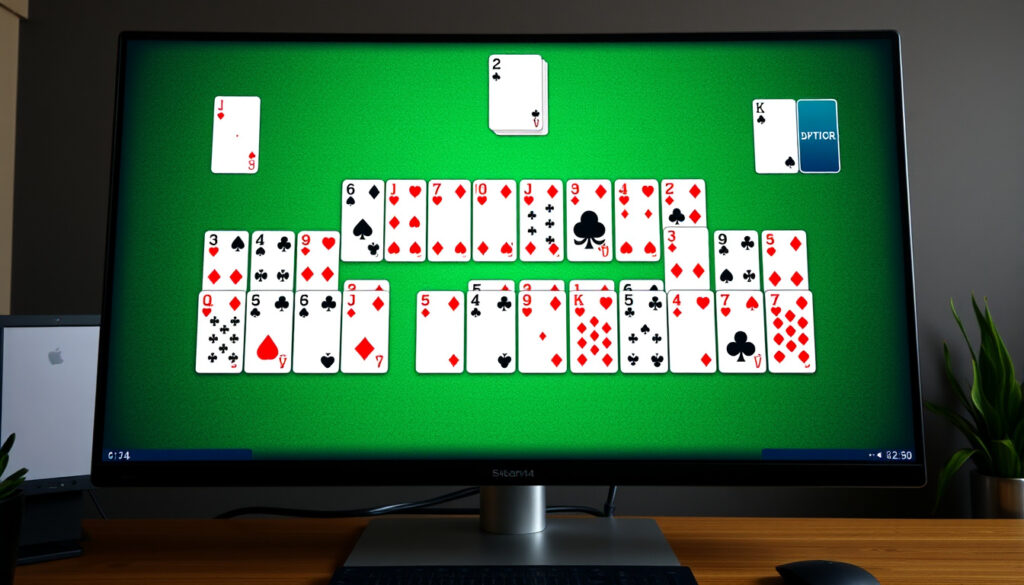
Spider Solitaire Full Screen – Play Free Online No Download
Spider Solitaire full screen transforms the classic card game into an immersive experience, eliminating browser distractions and letting players focus entirely on their strategy. Two standard decks shuffled together create a challenging 104-card layout across ten tableau columns, where the goal remains building eight complete King-to-Ace sequences in the same suit.
The game has evolved significantly since its Windows debut in the 1990s, now accessible instantly through web browsers on virtually any device. Players no longer need downloads or installations—modern implementations deliver the full Spider Solitaire experience directly to your screen, whether you prefer the simplified 1-suit variant or the punishing 4-suit challenge. Full screen mode amplifies concentration, giving card sequences maximum visual clarity and making it easier to spot winning moves among the sprawling tableau.
This guide covers everything from accessing Spider Solitaire in full screen mode to mastering advanced strategies across all difficulty levels. Whether you are using a Windows 11 desktop, a MacBook, an iPhone, or an Android tablet, you will find practical steps to launch the game without leaving your browser, plus recommendations for the best platforms offering this experience completely free.
How to Play Spider Solitaire Full Screen Free Online
Accessing Spider Solitaire in full screen requires no special software or downloads. The process depends on your browser and operating system, but the underlying principle remains identical across platforms. You either use a built-in browser function or click a dedicated button provided by the game website itself.
A 2-deck solitaire variant where players build 8 complete King-to-Ace same-suit sequences to win
1 suit (beginner) to 4 suits (expert) depending on how many card types are in play
Press F11 on most browsers, use the game’s own maximize button, or toggle browser full screen
Completely free across all major sites and apps with no download required
Full screen mode offers tangible advantages beyond aesthetics. By removing browser chrome, tabs, and other interface elements, the playing field expands significantly. Cards appear larger and more distinct, making it easier to track sequences and evaluate options at a glance. This visual clarity reduces eye strain during extended sessions and helps players maintain concentration on complex endgame scenarios.
- Full screen eliminates visual clutter from browser tabs, bookmarks, and address bars
- Card faces display larger, improving readability of ranks and suits across all columns
- Distractions disappear, allowing deeper focus on long-term strategy versus immediate moves
- Most sites offer a dedicated full screen button alongside traditional maximize controls
- Mobile browsers support full screen through their native interface or game overlays
- The experience remains identical whether using Windows, macOS, iOS, or Android
- No performance difference exists between windowed and full screen modes on modern hardware
| Attribute | Details |
|---|---|
| Total Cards | 104 (two standard 52-card decks) |
| Tableau Columns | 10 columns (first 4 with 6 cards, last 6 with 5 cards) |
| Face-Up Cards (Start) | 54 cards visible at opening |
| Foundation Piles | 8 (one per suit sequence completion) |
| Move Rule | Place any face-up card on a card exactly one rank higher |
| Sequence Rule | Only same-suit sequences can move as groups |
| Empty Column Rule | Any card or sequence may fill empty tableau spaces |
| Win Condition | All 8 foundations contain complete King-to-Ace same-suit runs |
Best Websites and Apps for Spider Solitaire Full Screen
Several dedicated platforms deliver high-quality Spider Solitaire experiences without requiring any account creation or software installation. Each option brings distinct features catering to different player preferences, from minimalist interfaces to feature-rich environments with daily challenges and statistics tracking.
Dedicated Browser Platforms
247spidersolitaire.com stands out with 14 distinct game variants and a comprehensive suits selector that lets players toggle between 1, 2, and 4-suit modes instantly. The platform includes unlimited undo functionality, new game options, and responsive design that adapts seamlessly from desktop monitors to smartphone screens.
Solitaired.com combines unlimited gameplay with detailed strategy guides embedded directly into the experience. The platform emphasizes mobile compatibility and full screen support across all difficulty levels, making it particularly suitable for players who switch between devices frequently.
Online-solitaire.com differentiates itself through daily challenges that present specifically solvable deals, along with hint systems that guide struggling players without resolving moves entirely. The undo feature here follows traditional scoring penalties, adding stakes to each decision.
Mobile Application Options
Android users can access MobilityWare’s Spider Solitaire through Google Play, featuring the complete 1-4 suit range with offline play capability. The app displays ads but otherwise matches the functionality found on premium desktop versions.
iPhone and iPad owners will find PeopleFun’s Spider Solitaire in the App Store, prioritizing polished graphics and adherence to classic gameplay rules. The application supports full screen presentation and tracks progress across sessions.
Windows 11 users receive the Microsoft Solitaire Collection as either pre-installed software or a free Microsoft Store download. This official implementation includes Spider across all three standard difficulty modes, daily challenges, and seamless account integration for cloud-saved progress.
If you play across multiple devices, prioritize platforms with cloud save functionality. Microsoft Solitaire Collection syncs progress through your Microsoft account, while Solitaired and Online-solitaire track history through browser local storage for returning visitors.
Spider Solitaire Full Screen on Mobile and PC
The gap between mobile and desktop Spider Solitaire experiences has narrowed considerably. Modern web standards allow both platforms to access identical gameplay features, though practical differences in input methods and screen dimensions influence optimal play strategies.
Desktop and Laptop Access
On Windows machines, the F11 key toggles most browsers into full screen mode instantly. This keyboard shortcut works universally across Chrome, Firefox, Edge, and Opera. Some Spider Solitaire sites place a dedicated full screen button directly on the game interface, typically represented by four expansion arrows pointing outward.
Mac users face a slightly different approach. The Command-Control-F combination activates full screen in Safari and most third-party browsers on macOS. The Microsoft Solitaire Collection desktop application opens maximized by default but can be resized according to preference.
Linux distributions running Chromium-based browsers respond to F11 like their Windows counterparts. Firefox users on Linux should check their keyboard shortcut preferences, as some distributions remap function keys by default.
Smartphone and Tablet Access
Mobile browsers display Spider Solitaire in a responsive layout that adjusts card sizes and column arrangements based on screen orientation. Portrait mode stacks columns vertically with smaller card previews, while landscape orientation spreads cards horizontally for easier sequence evaluation.
iOS devices running Safari or Chrome support full screen through their respective browser interfaces. Some game sites prompt users to add the game to their home screen, which creates an app-like launcher that opens in a dedicated window without browser controls.
Android Chrome includes a standalone option for qualifying Progressive Web Apps. When available, this presents Spider Solitaire as a distinct application icon while technically running within the browser engine, delivering near-native performance without app store downloads.
Full screen benefits scale with display size. On smaller tablets, the increased card visibility outweighs the minor distraction of portrait orientation. Larger monitors (27 inches and above) gain the most from landscape full screen, as cards become substantially easier to read across all ten columns simultaneously.
Rules and Winning Tips for Full Screen Spider Solitaire
Spider Solitaire rules remain consistent whether you play windowed or full screen. However, the expanded visual workspace makes certain strategic principles more apparent and easier to apply during actual gameplay.
Understanding the Core Mechanics
The tableau arrangement places 54 cards face-up at game start: six cards in the leftmost four columns and five cards in the rightmost six columns. Every column displays its bottom card face-up while stacking remaining cards face-down. The stock pile holds the remaining 50 cards, dealt one at a time across the tableau in groups of ten when players choose to deal.
Cards may be moved individually onto any face-up card exactly one rank higher, regardless of suit in 2-suit and 4-suit variants. For example, a 7 of any suit can be placed on any 8 showing on the tableau. Only cards of the same suit can move together as a sequence, so a run of 5-4-3 of spades moves as a unit, but mixing suits breaks the group.
Empty tableau columns accept any card or sequence without restriction. This flexibility makes empty columns strategically valuable—they become landing zones for any card type, allowing players to reorganize the tableau more freely.
Strategic Priorities
Prioritizing empty columns early ranks among the most important tactical decisions. Kings cannot be placed on any other card and only move when an empty column exists. Building one or two empty columns in the opening moves creates maneuvering space that becomes essential during complex mid-game positions.
Exposing face-down cards should drive much of your early-to-mid game activity. Each face-down card represents potential—whether as a standalone option or part of a hidden sequence. Prioritizing moves that reveal new cards over those that merely rearrange already-visible cards accelerates progress toward winning positions.
Building same-suit sequences requires patience. Initial plays often create mixed-suit sequences that function temporarily, but long-term winning requires converting these mixed runs into same-suit blocks. Regularly evaluate whether cards buried under mixed sequences would be better positioned elsewhere.
Stock management distinguishes experienced players from beginners. Dealing from the stock adds ten cards across the tableau but often disrupts carefully arranged sequences. Reserve stock deals for genuine stalemate situations rather than convenience, and always assess the tableau arrangement before committing to a deal.
Difficulty Variants Explained
The 1-suit variant uses only spades (or any single suit), creating 104 cards all belonging to one type. Because every card matches every other card, sequences form easily and win rates climb substantially. This variant suits learning the fundamental mechanics without frustration from suit mismatches.
The 2-suit variant introduces hearts alongside spades, splitting the deck into two groups of 52 cards each. Sequences can still form across colors, but complete same-suit runs become more valuable. Players must balance building mixed sequences for flexibility against preserving same-suit options for foundation completion.
The 4-suit variant presents the full deck with all four traditional suits represented. This configuration demands constant attention to suit compatibility, as mismatches between hearts and diamonds or clubs and spades create blocking situations that rarely resolve without significant card movement. Win rates drop accordingly, making this variant the preferred choice for players seeking genuine challenge.
Burying high cards under lower cards of different suits ranks among the most frequent errors. Once a King becomes trapped beneath a Queen of another suit, only an empty column or complete sequence rearrangement can free it. Avoid this trap by maintaining awareness of which cards each column contains before committing to any move.
Evolution of Spider Solitaire Full Screen Experiences
Spider Solitaire’s trajectory from bundled Windows software to cross-platform web experience spans several distinct eras, each introducing new access methods while preserving the core gameplay that made the original successful.
- 1990s – Windows Inclusion: Microsoft added Spider Solitaire to Windows ME and subsequent releases, introducing millions of users to the game through desktop presence. The initial versions featured limited graphics but established the tableau layout and basic rules that persist today.
- 2000s – Early Internet Versions: Flash-based websites began offering Spider Solitaire around 2002-2004, enabling play without Windows installations. These versions introduced score tracking and timing features while establishing the browser as a legitimate gaming platform.
- 2010s – HTML5 Transition: As Flash declined, developers rebuilt Spider Solitaire using HTML5 and JavaScript, achieving compatibility across all modern browsers and mobile devices. Full screen support became standardized through browser capabilities rather than plugin features.
- 2012 – Microsoft Solitaire Collection: The company reimagined their classic games for Windows 8, adding daily challenges, Xbox integration, and refined visuals. This release established modern expectations for progression systems and social features in solitaire games.
- 2020s – Mobile Dominance: Smartphone Spider Solitaire apps multiplied across app stores, with full screen optimization becoming a standard feature. Progressive Web Apps emerged as a bridge between native applications and browser-based experiences.
What Is Verified and What Remains Unclear About Full Screen Mode
The Spider Solitaire community has established certain facts definitively through accumulated player experience and official documentation, while other aspects remain subjects of debate or depend heavily on specific platform implementations.
| Established Information | Information Requiring Clarification |
|---|---|
| Full screen via F11 works across all major desktop browsers | Whether mobile full screen truly improves win rates or merely enhances subjective experience |
| Game rules remain identical regardless of screen mode | Whether specific deal algorithms differ between sites, affecting difficulty |
| No performance difference exists between windowed and full screen | Whether haptic feedback on mobile devices influences timing-based decisions |
| 1-suit variant offers highest win probability across all platforms | Whether card shuffling algorithms in online versions match true randomness |
| Microsoft Solitaire Collection includes all three standard difficulty modes | Whether AI opponent behavior varies significantly across implementations |
| Undo features are universally available but may deduct points | Whether optimal move recommendations from hint systems are universally accurate |
Why Full Screen Enhances Spider Solitaire Gameplay
The psychological impact of full screen mode extends beyond simple visual enlargement. Removing peripheral browser elements reduces cognitive load, allowing players to dedicate more mental resources to the actual game state rather than managing their computing environment.
Strategic board games like Spider Solitaire demand constant spatial awareness across multiple columns. When cards display at larger scales, players can process the entire tableau position without the saccadic eye movements required at smaller window sizes. This peripheral vision advantage becomes particularly valuable during endgame scenarios where subtle sequence interactions determine success or failure.
Extended play sessions benefit especially from full screen implementation. Browser tabs, notification badges, and address bar elements create subliminal distractions that accumulate over time. Full screen mode creates a dedicated environment specifically for gameplay, which many players report leads to longer sustained concentration and more satisfying long sessions.
The decision to pursue full screen ultimately reflects personal preference and play context. Quick games during breaks may not warrant the mode switch, while dedicated weekend sessions or competitive play certainly justify the distraction-free environment. Most platforms make switching between modes effortless, allowing players to choose based on immediate circumstances.
References and Further Reading
The rules and mechanics described throughout this guide align with the implementations found across major Spider Solitaire platforms. These sources represent the current standard understanding of the game’s official ruleset.
Spider Solitaire’s two-deck structure and eight foundation goal create a uniquely challenging experience distinct from single-deck variants like Klondike. The game rewards systematic thinking and penalizes impulsive moves that disrupt sequence building.
— Microsoft Solitaire Collection official documentation
For players interested in exploring the historical development of solitaire games more broadly, the Wikipedia article on Spider (solitaire) provides additional context regarding the game’s origins and regional variations.
Comparing gameplay across multiple platforms reveals consistent adherence to fundamental rules while varying in presentation, scoring systems, and auxiliary features. The core challenge of building eight same-suit sequences from a 104-card tableau remains unchanged across all implementations.
Key Takeaways for Spider Solitaire Full Screen Players
Spider Solitaire full screen represents the optimal way to experience this classic card game on any modern device. The mode eliminates distractions, enlarges critical visual elements, and creates a dedicated gaming environment that supports longer concentration periods and more strategic play.
Players new to the game should begin with the 1-suit variant to master fundamental mechanics before advancing to more challenging configurations. Building empty columns early, exposing face-down cards consistently, and managing the stock pile strategically form the foundation of successful play across all difficulty levels.
Multiple free platforms offer instant full screen access without registration or downloads. Whether you prefer the variant selection at 247spidersolitaire.com, the mobile optimization at solitaired.com, or the daily challenges at online-solitaire.com, the full Spider Solitaire experience awaits in your browser. Mobile users can also explore dedicated applications like MobilityWare’s Android version or the Microsoft Solitaire Collection for integrated system experiences.
For those interested in comparing different solitaire formats, the Newcastle vs Athletic Club comparison provides context on how card game variations differ across platforms and rule sets.
Can I play Spider Solitaire full screen on Windows 11 without downloading anything?
Yes. Multiple browser-based platforms like Solitaired and 247spidersolitaire offer instant full screen play through your browser. Simply visit the site, select your preferred difficulty, and press F11 to activate full screen mode.
How do I enable full screen in Microsoft Solitaire Collection?
The Microsoft Solitaire Collection runs as a windowed application by default. Click the maximize button in the top-right corner or use the Windows key and up arrow together to expand the window to full screen dimensions.
Is Spider Solitaire full screen available on iPhone?
iPhone users can access full screen Spider Solitaire through Safari or dedicated apps. Some websites support adding the game to your home screen, which opens it without browser controls for a cleaner presentation.
What is the easiest Spider Solitaire variant to win?
The 1-suit variant offers the highest win rate because all cards belong to the same suit. This eliminates suit mismatches entirely, making sequence building straightforward compared to 2-suit and 4-suit configurations.
Does full screen mode affect my chances of winning?
Full screen does not change the game mechanics or card distribution. However, the improved visual clarity may help players spot better moves and avoid costly mistakes, potentially leading to better outcomes over time.
Can I undo moves in Spider Solitaire full screen?
Most platforms include undo functionality, though scoring penalties may apply depending on the site. Solitaired offers unlimited undo without point deductions, while Microsoft Solitaire Collection and Online-solitaire use score-based penalties for reversed moves.
Is there a difference between Spider Solitaire on Mac versus Windows?
Game rules and mechanics remain identical across operating systems. The primary difference involves keyboard shortcuts for full screen: Windows uses F11 while Mac requires Command-Control-F. Browser-based versions perform identically on both platforms.
More related posts
 Kids Lunch Box Ideas: 30+ Easy, No-Cook & Picky Eater
 PAK’nSAVE Clendon: Hours, Online Shopping & Jobs
 What Is the Longest Word in the World? 45 vs 189,819 Letters
 House of the Dragon: Season 3 Release, Cast & News
 2026 Toyota HiLux Price NZ: Full Pricing & Variant Guide
 King Size Bed Dimensions – Complete Guide with Charts
 Camera House Lower Hutt – Address, Hours, Services & Reviews
 Mercury Share Price NZX: Yield and Analysis
